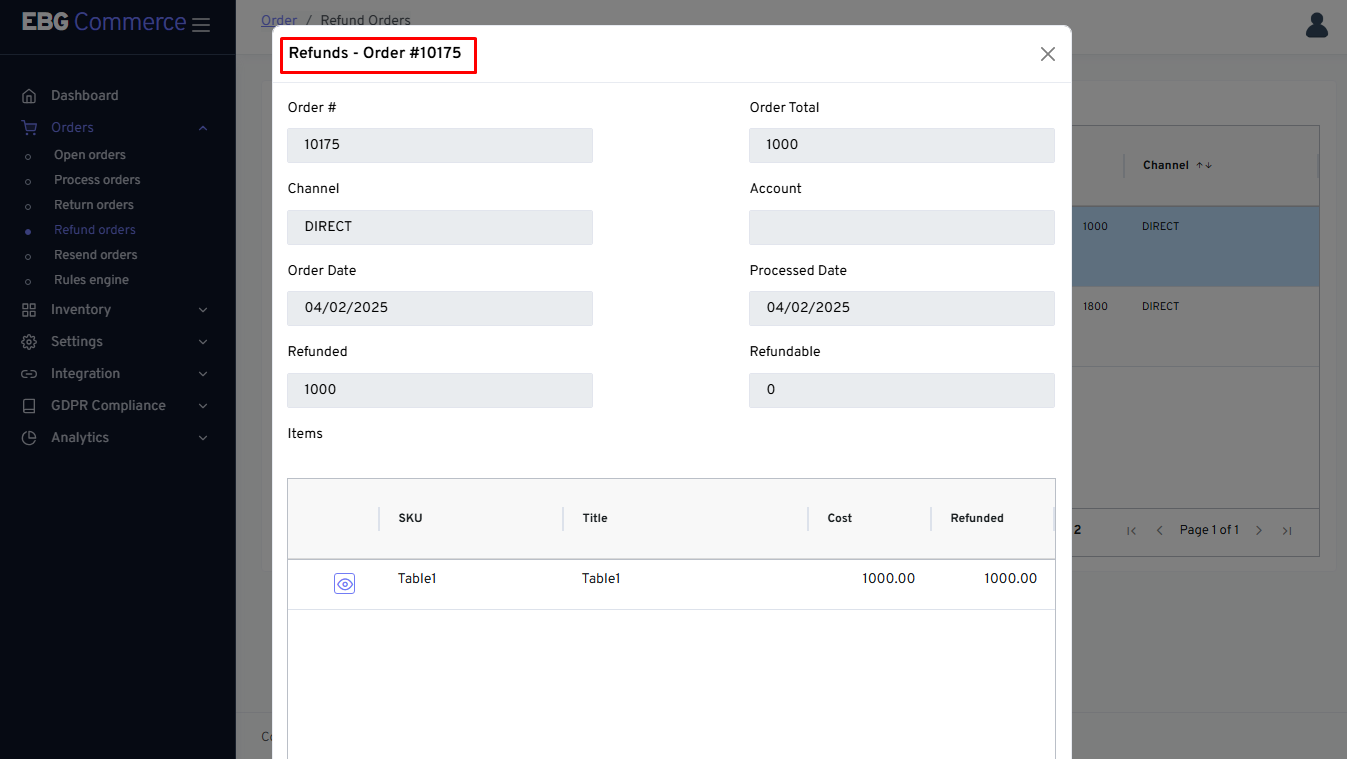
Refund orders
On this page:
How to create a refund order?
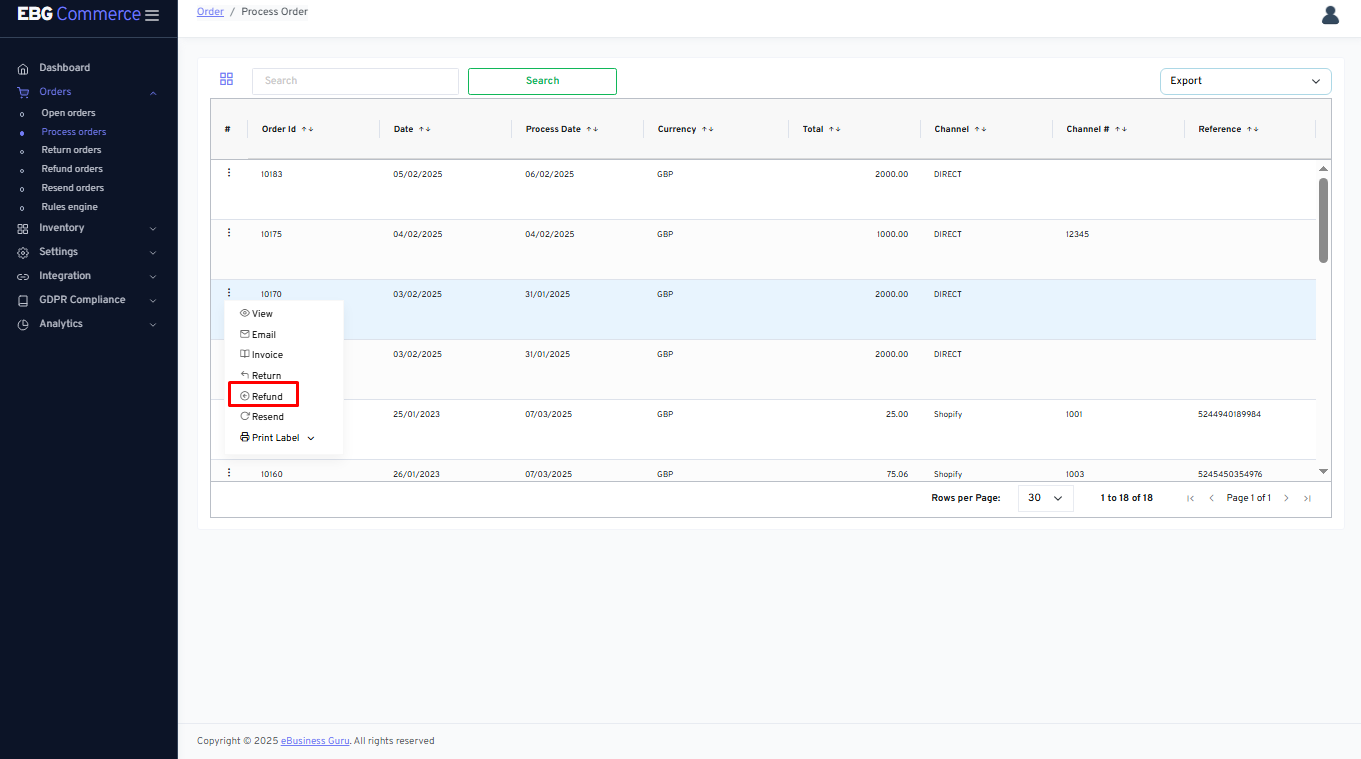
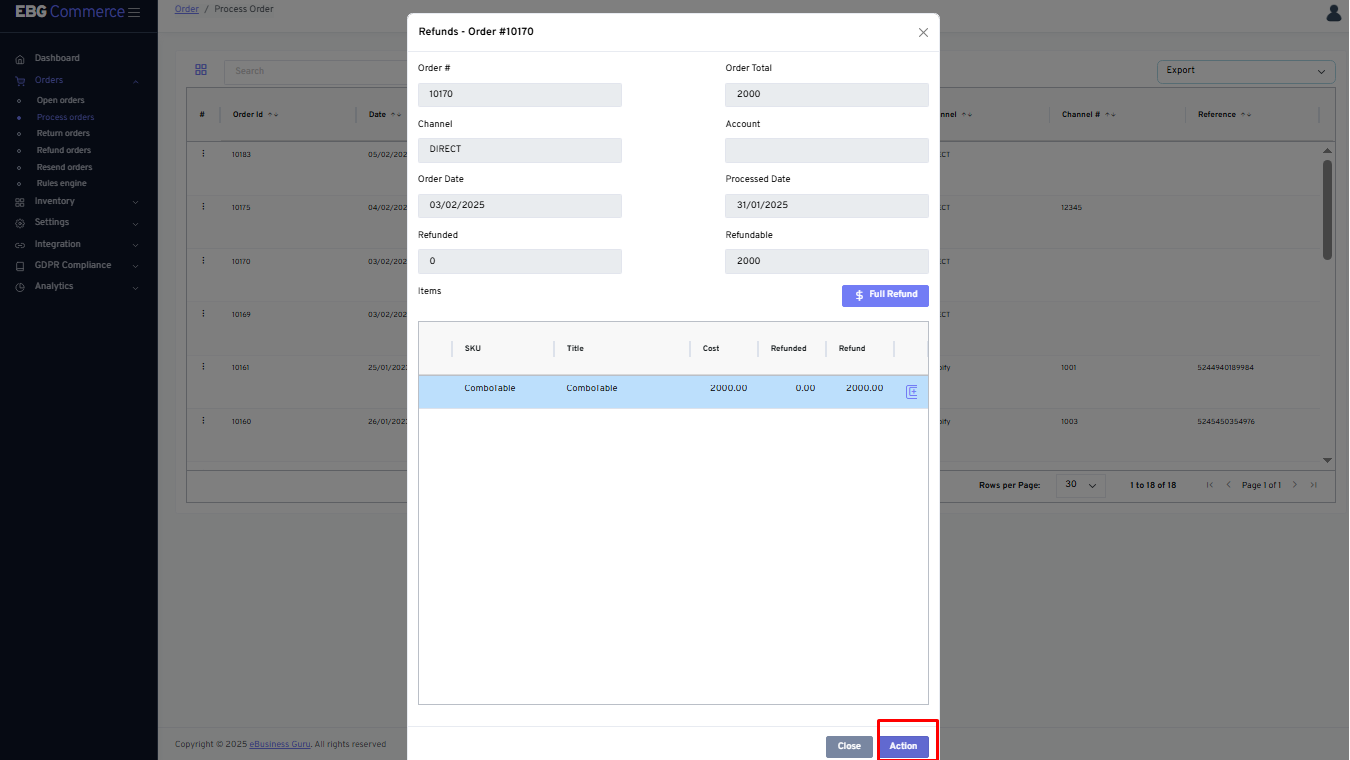
From process order screen, select any order and click on three dot menu that display “Refund” option
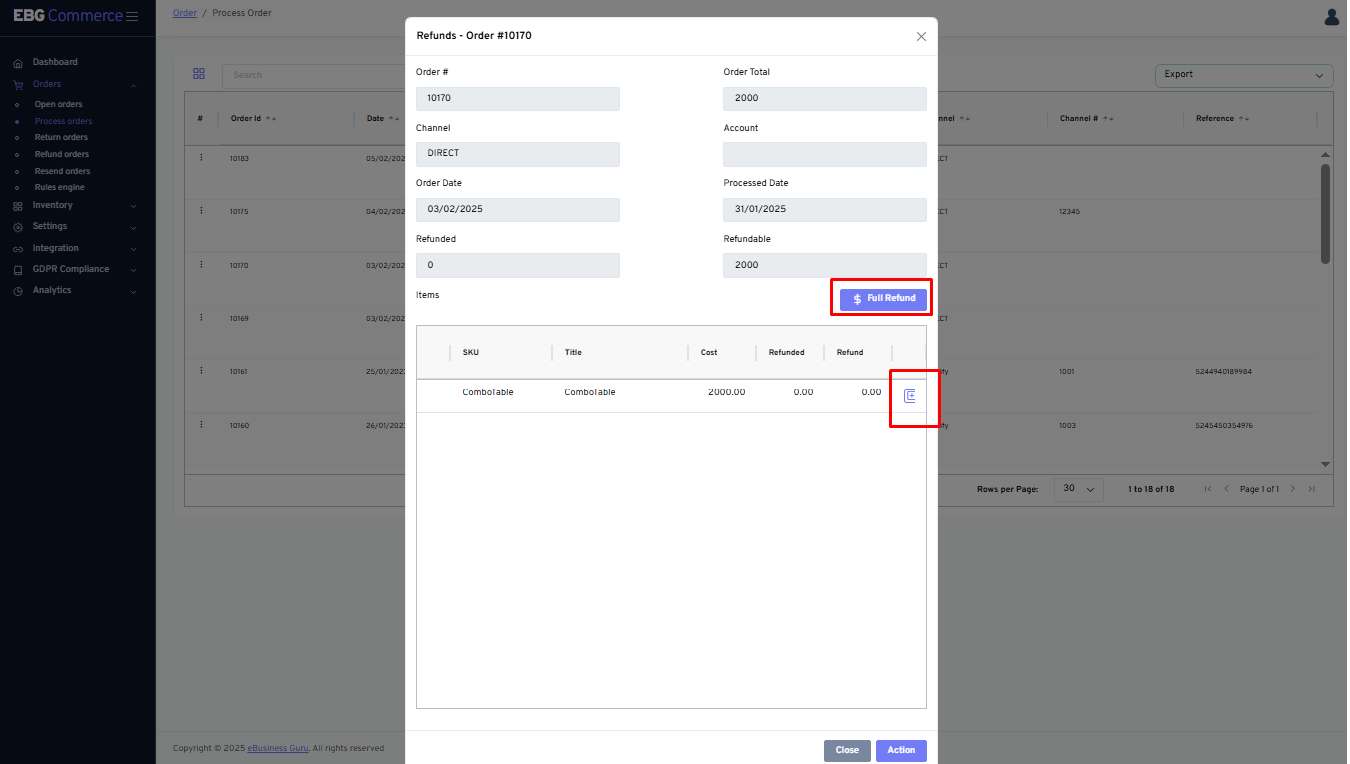
By clicking on the “Refund” option, it will redirect you to the Refund order page
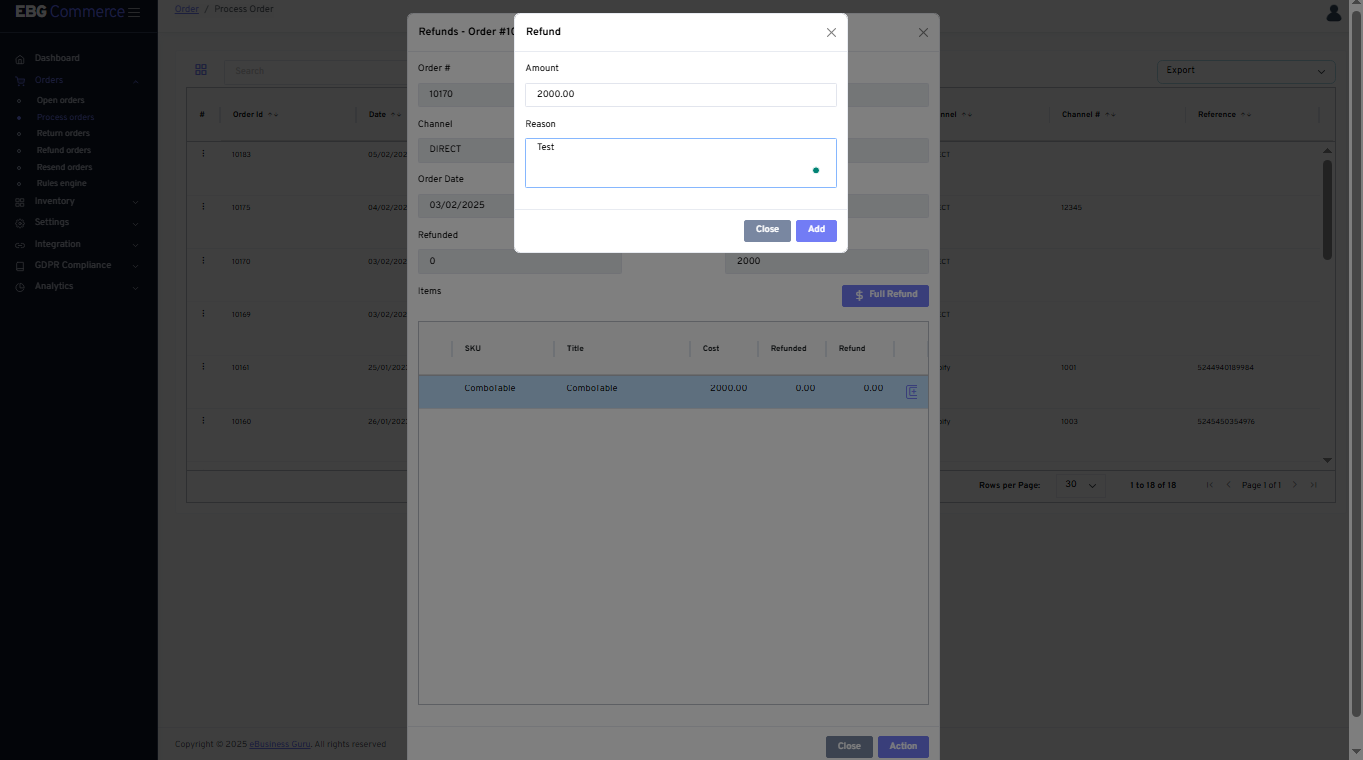
By clicking on + icon, It will display Refund option, client needs to enter the Refund quantity and reason for Refund request and click on Add so that details will be added
By clicking on “Refund” option, the order will be created
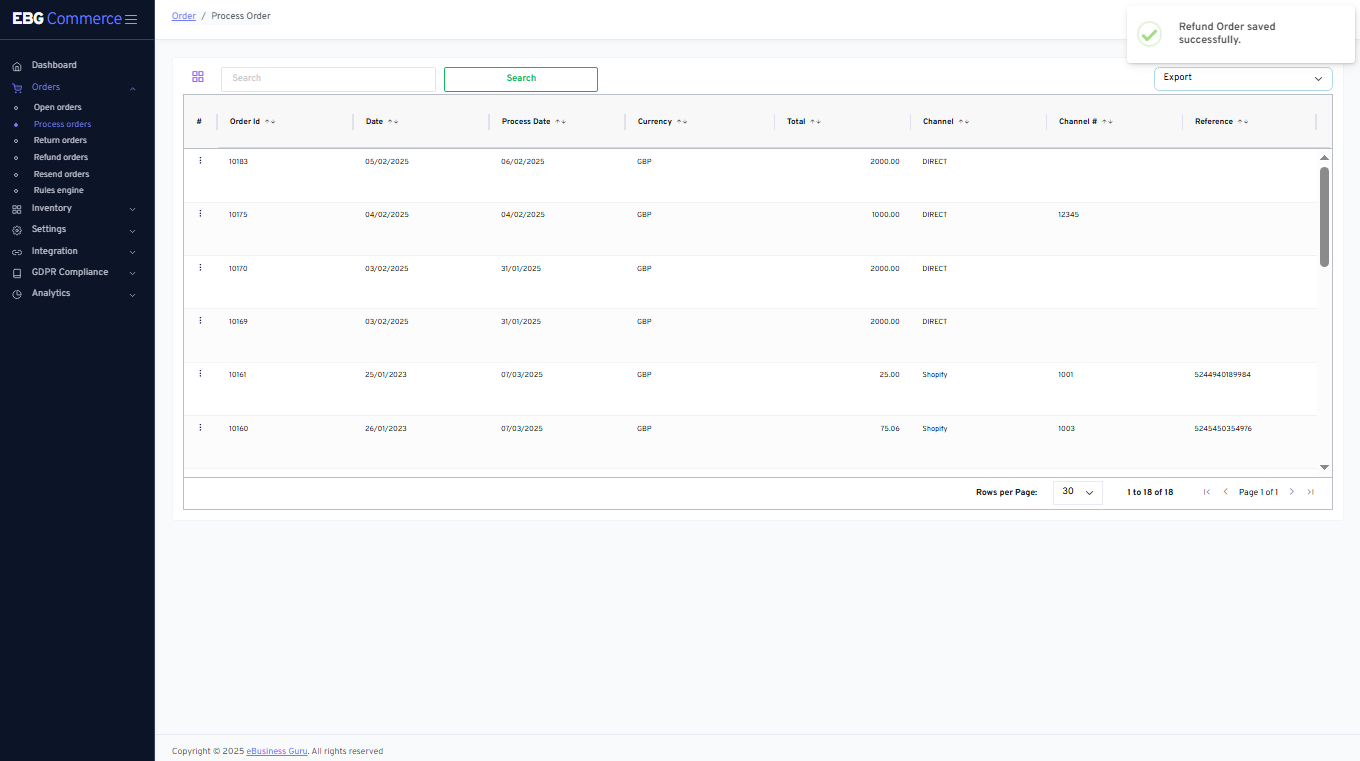
Successful message display on the screen
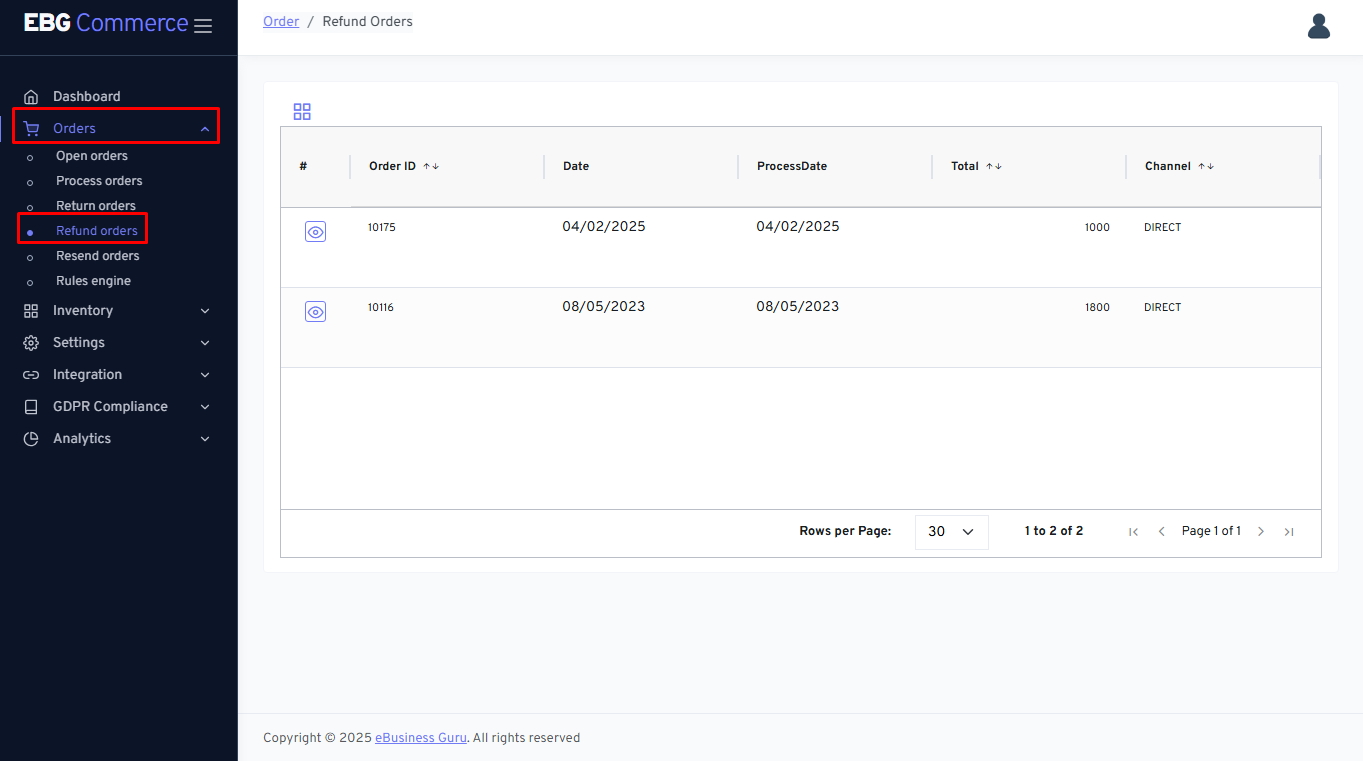
Refund order screen
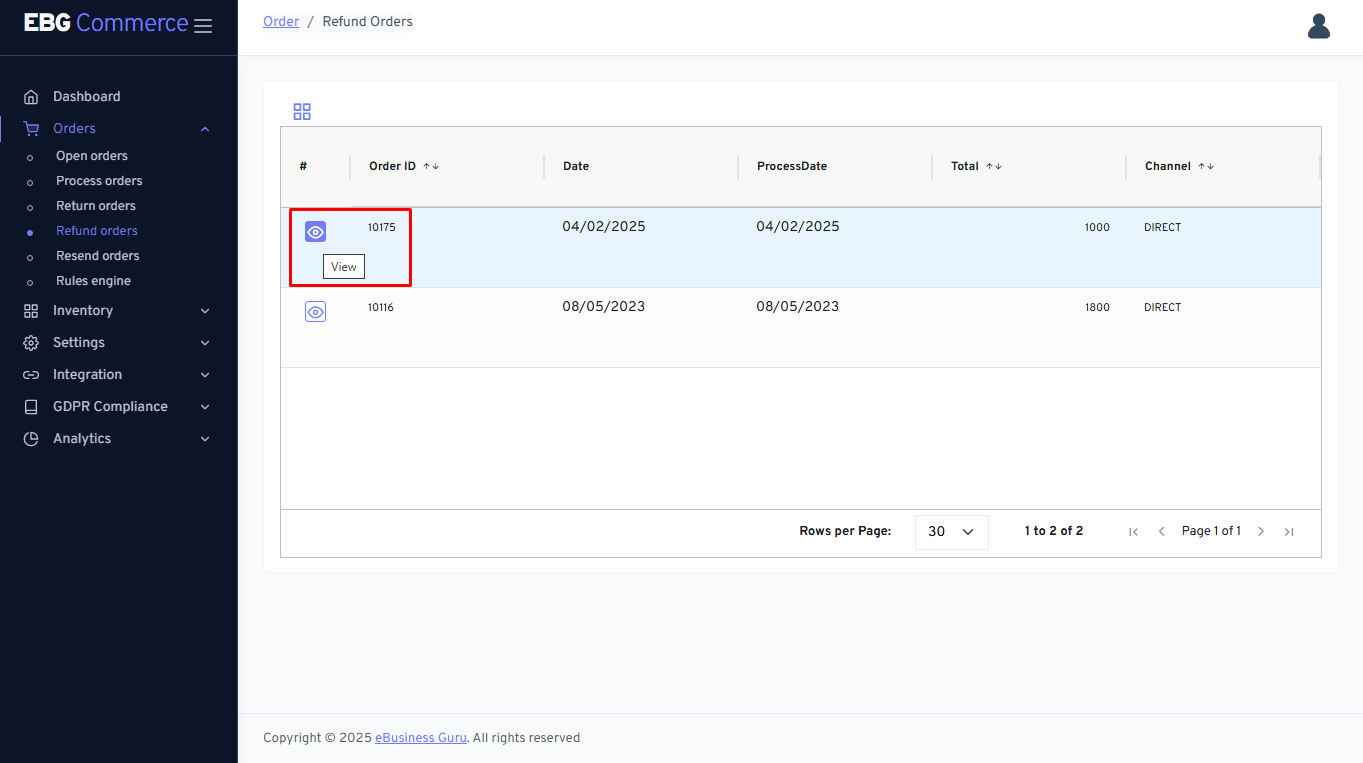
Go to Orders section and click on Refund orders so that below page will be displayed
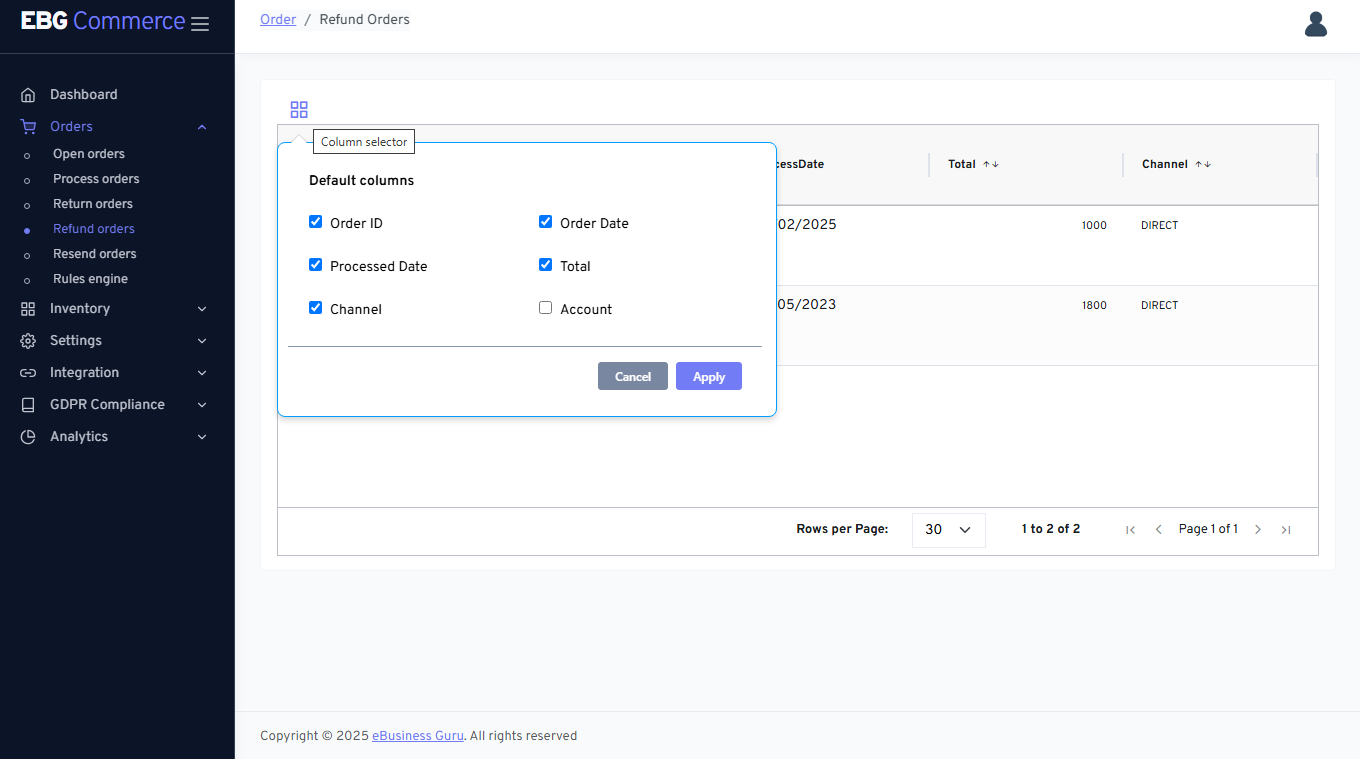
Column selector - This feature allows to select/deselect required columns
View - This feature helpful to refer Refund order details
Refund order details - It display order details